PoE2 Temple Console Guide: How to Place, Move, and Reset Rooms
This PoE2 Temple Console guide explains what the live board is showing, how to read a valid room placement, how to test a route without wasting a choice, and what to do when the console offers no usable space.
About the editorial team
PoE2 Temple Planner Editorial Team
Editorial team
The PoE2 Temple Planner editorial team prepares practical Path of Exile 2 guides from official patch notes, game-data references, and clearly identified community observations.
Editorial standard
Temple behavior can change with patches. Treat the in-game panel and current official notes as the final authority before spending a valuable room choice.
On this page
Scope and verification
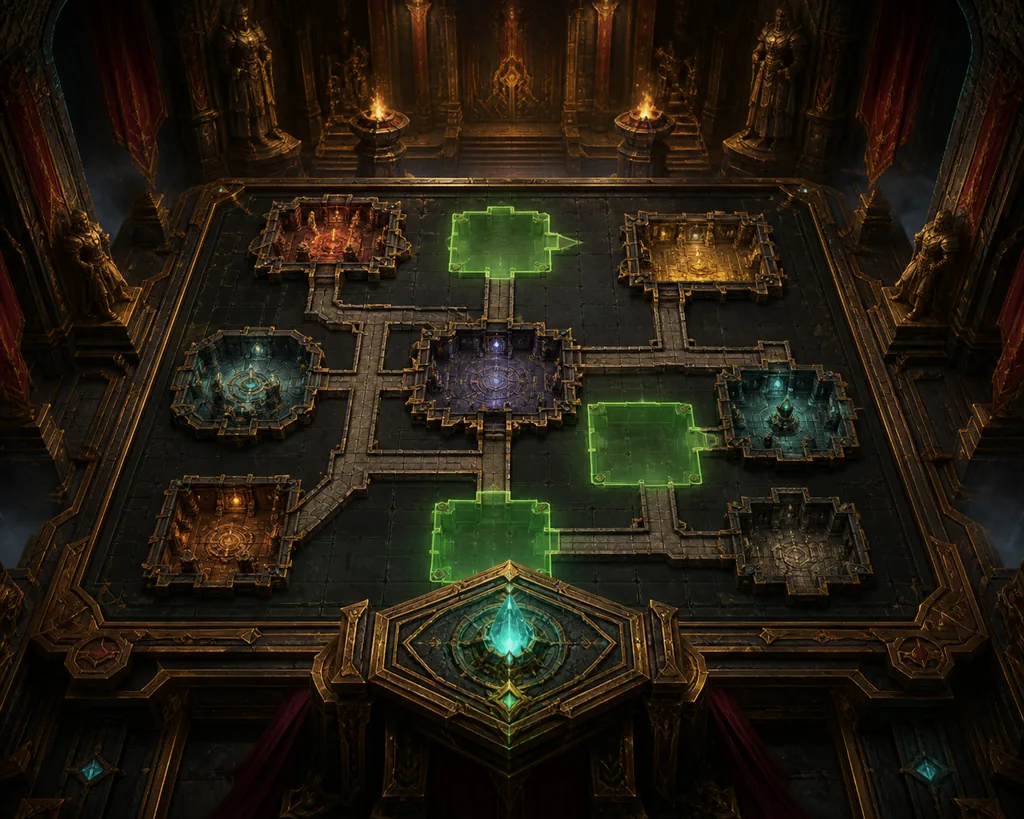
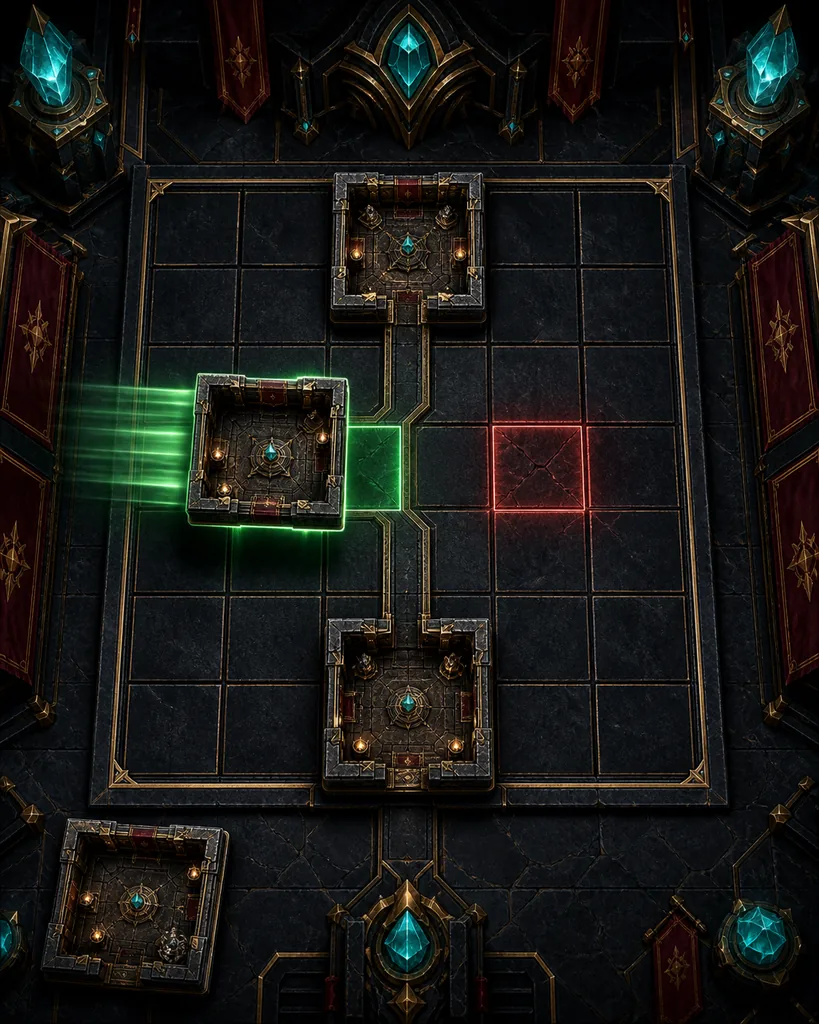
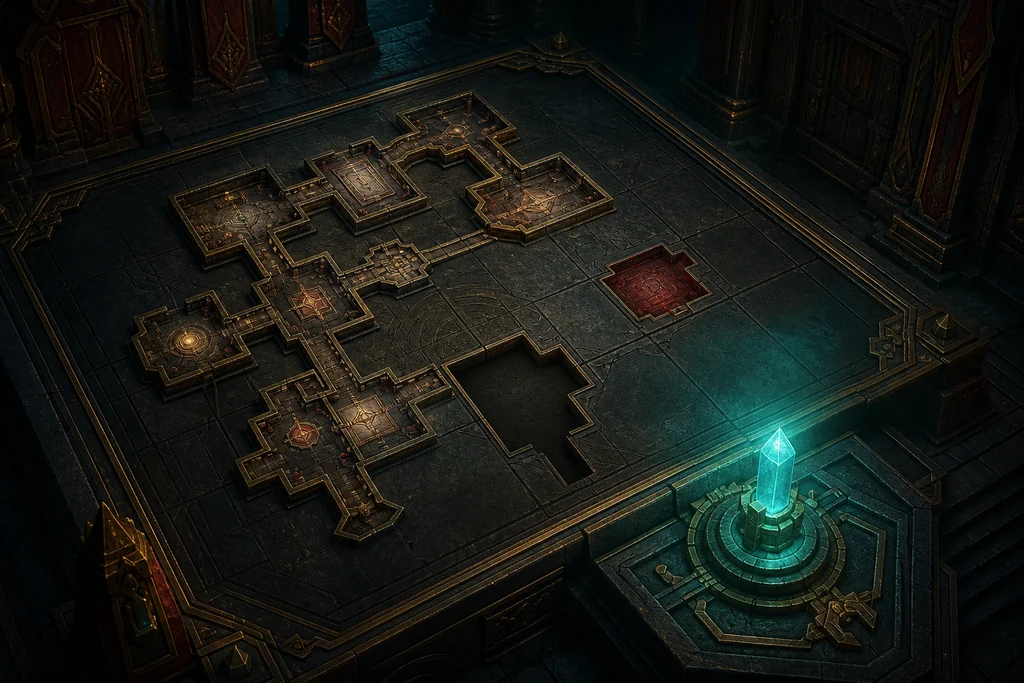
This page targets poe2 temple console, poe2 temple console guide, and how does the temple console work poe2. It separates the live Temple Console from the website planner, uses the current in-game state for patch-sensitive decisions, and links room connections, map reading, rewards, and reset questions to their narrower guides. The illustrations are editorial concept art, not official screenshots.
Quick answer: the Console is the live Temple decision panel
The Temple Console is where you inspect the current Temple state and make the next allowed room decision. It is not a universal undo screen and it is not the same thing as a planner simulation.
| What you see | What it means | Best next move |
|---|---|---|
| Occupied rooms and corridors | The committed layout and the connections that currently exist | Trace the route from the entrance before choosing another room |
| A room card or medallion choice | A candidate action available in the current Temple state | Read the room, tier, cost, and destination before confirming |
| Green or highlighted spaces | A position that appears compatible with the current connection rules | Check every entrance and exit, then compare the reward goal |
| No highlighted space | The candidate may not fit, the route may be full, or the display may need checking | Do not spend the choice blindly; diagnose the state first |
| Planner preview | A safe simulation of a possible layout, not a change to the live Temple | Use it to test a future route, then return to the game panel |
What the PoE2 Temple Console shows
When players ask how does the temple console work poe2, the useful answer starts with state rather than buttons. The board combines the rooms already committed to the live Temple, the corridors that connect them, the current entrance or route, and the choices still available. A room can be attractive on its own and still be a poor decision if the board cannot connect it to the route that matters.
Read the Console as a constrained map. The visible grid is not an invitation to place a room anywhere. The candidate room has a footprint, an entrance, one or more exits, and a relationship with the occupied neighbors. The highlighted spaces are useful evidence, but the final confirmation panel is the safer place to verify the exact cost and result.
- Find the entrance and trace the route toward the room or reward you care about.
- Separate occupied rooms from empty cells and from spaces that only look open because the view is zoomed out.
- Read the candidate room's tier, role, connection shape, and any visible cost before you drag or confirm it.
- Check whether the choice improves a reachable chain instead of adding a disconnected room with a good name.
- Use the final confirmation state as the source of truth for the live Temple; keep the website planner for experiments.
Console, planner, and map guide are different tools
The live Console answers what can happen in this Temple now. The website planner answers what a route could look like if you arrange the rooms differently. The map guide explains how to read entrances, branches, and route value. Confusing these layers is the fastest way to think a legal placement is broken or a planner edit has changed the game. Start with the beginner explanation if you still need the overall Temple vocabulary, then return here for the action step.
What Is Atziri's Temple?
Use the beginner overview for the Console, rooms, paths, rewards, and planner vocabulary.
Read the Temple map guide
Use this when you need to trace entrances, branches, and the value of a reachable route.
How to place a room from the Console
A reliable placement routine has four checks: fit, connection, cost, and purpose. Do not let a bright green space replace the other three checks. A room is useful only when it fits the available footprint, connects to the active route, costs something you are willing to spend, and supports the reward or bossing goal you selected for this Temple.
- Pause on the candidate room and identify its footprint and exits. If the card is ambiguous, inspect the detail panel before moving it.
- Look for the proposed position on the live grid. Confirm that the entrance reaches an existing corridor or a room that will remain reachable.
- Compare the proposed route with the Temple room connection reference instead of relying on the room title alone.
- Check the cost, tier change, available slots, and any confirmation wording. A placement that fits can still be the wrong investment.
- Confirm once, then reread the updated board. Make sure the new corridor and the next available decision match what you expected.
| Check | Question | Stop condition |
|---|---|---|
| Fit | Does the room footprint fit the highlighted cells? | Part of the room overlaps an occupied or unavailable cell. |
| Connection | Will an entrance or exit join the active route? | The room would sit beside the route without a legal connection. |
| Cost | What medallion, slot, tier, or opportunity is consumed? | The cost is unclear or would remove a better next choice. |
| Purpose | Does it support the goal for this Temple? | The room is attractive but unreachable or unrelated to the goal. |
If the room has more than one apparently valid location, choose the position that preserves the most useful future branch. A short connection to a reward room may be better than a visually central placement that cuts off the entrance. When the choice is patch-sensitive or the panel wording is unclear, take a screenshot and compare it with the current official notes before spending another resource.
How to move or test a room safely
The safest place to test a layout is the website planner, before a live Temple choice is committed. Use the planner to copy the relevant room state, try alternate branches, and check Generator or route coverage. That work helps you make a decision; it does not grant a live undo command and it does not change the state shown by the game's Console.
Inside the live Console, only use a move or placement action that the current panel explicitly offers. If a room appears draggable but the confirmation state does not accept it, treat the interaction as a preview or display hint rather than proof that the room can be moved. Never spend a valuable choice just to test whether a red or empty space will become valid.
Planner boundary
A planner reset is reversible because it is only a plan. A live Temple decision is governed by the current game state. Keep the two tabs mentally separate and label screenshots so an old preview is not mistaken for the active layout.
- Copy the entrance, occupied rooms, tiers, and target route into the planner before testing a major change.
- Give each trial a clear goal: Atziri access, a reward chain, room upgrades, or a safer route.
- Compare the candidate's connections and remaining choices, not only the number of empty cells.
- Return to the live Console and verify the current state again immediately before confirming anything.
- If the planner and game disagree, preserve the live panel evidence and investigate the mismatch instead of forcing the placement.
Open the PoE2 Temple planner
Test a route and reset the draft without changing the live Temple.
Temple room connections cheat sheet
Check legal room connections, upgrade chains, and Generator coverage.
No valid placement or nothing to add
A Console that shows no usable placement does not automatically mean the Temple is bricked. The candidate may not match the current connection shape, the route may be full for that room footprint, the useful space may be outside the active branch, or the display may be stale. Diagnose these possibilities in order and avoid paying for another choice while the reason is unknown.
| What you see | Likely explanation | What to verify |
|---|---|---|
| A room has no green space | Footprint or connection mismatch | Room shape, legal neighbors, entrance, and the active branch |
| The grid looks open but confirmation fails | The highlight was a preview or the state changed | Final confirmation text, current instance, and a fresh view |
| A desired reward room is visible but unreachable | The route was not built toward it | Entrance-to-room path and the room connection cheat sheet |
| Planner and live Console disagree | Different state, stale tab, or patch-sensitive behavior | Character, Temple instance, update date, and screenshots |
| Nothing changes after a reload | Not a normal reset action | Official notes and a reproducible bug report before more spending |
- Record the current patch, character, Temple entrance, occupied rooms, and the exact room that cannot be placed.
- Refresh only after capturing the live state; a reload can change what you see without undoing a committed decision.
- Re-check the route from the entrance and compare every required connection with the reference guide.
- Try the same candidate in a copy of the layout inside the planner, clearly labelled as a simulation.
- If the same impossible state reproduces in game, stop spending resources and use the evidence for an official bug report.
Temple room connections
The detailed room and corridor reference for checking a blocked connection.
Temple rewards guide
Use this when the real question is which reachable room is worth protecting.
Reset questions: what can actually be changed
The phrase poe2 temple console reset can describe two different things. You can clear and rebuild a draft in the website planner. That is not the same as rewinding room choices already committed to a live Temple. Closing the panel, dying, logging out, or opening a new planner tab should not be treated as evidence of a universal live-layout reset.
If the game explicitly presents a recovery option in the current patch, follow that wording. Otherwise, treat the committed state as the state you must work with: preserve the strongest reachable route, stop investing when the next choice cannot improve it, and collect exact evidence if the panel behaves impossibly. The dedicated reset guide covers recovery and bug-report boundaries in more depth.
Do not test a reset with a valuable choice
A room, medallion, upgrade, or slot should not be spent merely to discover whether the Console has an undo. Verify the current in-game text and official patch notes first.
PoE2 Temple reset guide
Separate planner edits, live commitments, salvage decisions, and bug-report evidence.
What is Atziri's Temple?
Return to the beginner overview if the Console terms or room roles are still unclear.
Frequently asked questions
Sources and verification
Patch-sensitive behavior should be checked against current official notes and the in-game panel. The game-data reference helps with entity names and room terminology; community reports are observations for reproduction, not universal rules.
- Path of Exile 2 patch notes 0.5.4 - Official patch notes checked for current patch-sensitive context.
- Path of Exile 2 patch notes 0.5.0 - Official content notes for Temple and encounter context.
- PoE2DB — Atziri's Temple - Game-data reference for Temple entities and room terminology.
- Mobalytics PoE2 Temple overview - Secondary mechanic overview used as a cross-check, not as the authority for patch-sensitive rules.
Editorial approach
PoE2 Temple Planner Editorial Team
This page focuses on the action a player can take at the live Temple Console. It does not promise a hidden reset, does not treat generated art as a game screenshot, and sends room lists, rewards, map reading, and permanent-state questions to the narrower pages that own those intents.
Plan the next Temple before spending the next choice
If the current Console state is unclear, preserve the live evidence, check the route, and use the planner to test a cleaner next run before you commit another room.